

Supporting safe digital lives
Keeping children safe online is a partnership between school, families and children themselves.
The internet is an everyday part of learning, communication and play. We distribute a monthly online safety newsletter to help families keep up with emerging concerns, understand popular apps and games, and start useful conversations at home.
Our newsletters and many of the resources below are provided through our subscription to Knowsley City Learning Centres. They form part of our wider safeguarding work.
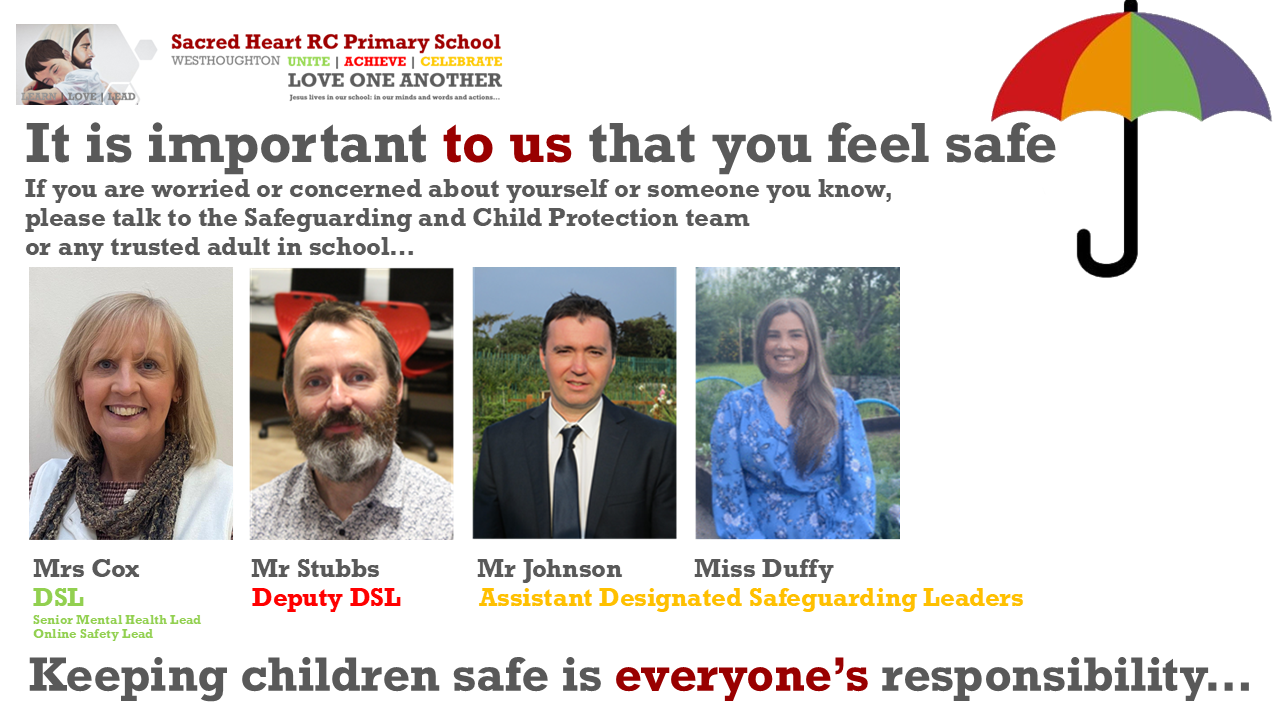
If something online is worrying your child, please speak to their class teacher or our safeguarding team. Contact the school office on 01942 634681.
Latest newsletters and videos: 2026–2027
Practical advice for parents and carers, with short videos to help you explore key topics.
Online grooming
Understanding online grooming, recognising warning signs and knowing what action to take if you are concerned about your child.
Digital wellbeing
Helping children build healthier technology habits and supporting a positive balance between their online and offline lives.
Images, AI and online support
Advice about AI-manipulated images, image consent and parental controls, alongside information about Childline’s support for younger children.
Small conversations matter
Ask your child what they enjoy online, who they talk to and what they would do if something made them uncomfortable.
Reassure them that they can always ask you or another trusted adult for help.
Parental controls and practical support
Help setting up parental controls
This annually updated booklet explains key parental controls and provides practical support for managing children’s access to devices and online services.
Controls work best alongside regular conversations, shared expectations and an interest in what your child enjoys online.
Messaging and everyday conversations
Talk together about respectful messages, sharing photographs, group chats and what to do if someone asks for personal information or makes your child uncomfortable.
Help your child find the reporting and blocking tools on services they use, and remind them that they can tell you when something goes wrong.
Watch our device and app setup videos
These guides demonstrate settings on a range of devices and services. Menus and features may change as services are updated.
Apple Family Sharing
Setting up parental controls on an iOS device with Family Sharing.
iOS controls without your own iOS device
Setting up controls on your child’s device when you do not have an iOS device yourself.
Google Family Link
Setting up parental controls on an Android device.
Snapchat Family Centre
A guide to setting up Snapchat’s family supervision features.
Snapchat privacy settings
Reviewing privacy settings on your child’s account.
Roblox
Parental controls and privacy settings.
Nintendo Switch
Using the Nintendo Switch Parental Controls app.
YouTube Kids
A guide to the YouTube Kids app.
Earlier parental controls booklets
Safer Internet Day
Safer Internet Day 2026
Our additional newsletter for Safer Internet Day, held on 10 February 2026, supports conversations about safer and more responsible use of technology.
Resources for families and schools
Teaching activities and assembly resources
Billy and Mabel’s digital dilemmas
Discussion resources for KS1 and KS2 invite children to consider risky online choices and suggest safer actions. The collection includes dilemmas for class or assembly discussion and supporting activities.
Billy and Mabel’s digital dilemmas
Seesaw activities
- Is an app age appropriate?
- Children’s online code of conduct
- What is risk? — teacher professional development starter
- Online safety bingo
Further learning resources
- Parent Zone: Be Internet Legends national assembly
- Internet Matters: technology and children’s digital futures
- Tech She Can: live assemblies
- Safer Internet Day 2026 newsletter — editable version
Earlier Safer Internet Day resources
Earlier newsletters and videos
Explore previous editions below. App features, settings and guidance can change; our latest resources provide more recent advice.
2025–2026 newsletters and monthly videos
Monthly newsletters
- September 2025
- October 2025
- November 2025
- December 2025
- January 2026
- February 2026
- March 2026
- April 2026
- May 2026
- June 2026
- July 2026
- Safer Internet Day 2026
Monthly parent videos
Staying safe during school holidays
Posting photos safely, balancing screen time and tackling cyberbullying.
Online scams and digital footprints
Recognising scams targeting young people and understanding the information we leave behind online.
Navigating group chats
Understanding group-chat risks, handling peer pressure and using blocking and reporting tools.
Online gaming
Communication risks, in-game spending, age ratings and tools for reporting concerns.
2024–2025 newsletters
2023–2024 newsletters
2022–2023 newsletters
2021–2022 newsletters
Staff and governor resources
Briefings support professional learning and oversight of online safety across our school community.
Primary staff briefings
Research and resources to support the teaching and delivery of online safety in primary schools.
Governor briefing
Information to support governors’ understanding and scrutiny of online safety.
Parent presentations for school-led sessions
Knowsley’s 2026 presentation is available to school staff in PowerPoint and Keynote formats through a password-protected resource page. Staff should review and personalise the material before using it with families.
Parent online safety presentations — staff access